


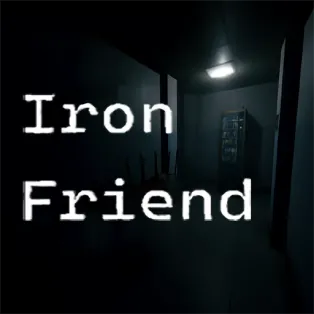


Iron Friend
Iron Friend is a first-person psychological horror game that immerses players in a dark and unsettling investigation. You are called in during a night shift to inspect a sudden power outage at a remote facility. What initially seems like a routine technical problem quickly turns into something far more disturbing as strange events begin to unfold around you.
As you explore abandoned buildings, dark hallways, and eerie outdoor areas, you slowly uncover clues about the mysterious presence known as the Iron Friend. The game focuses on atmospheric tension, exploration, and puzzle-solving, creating a chilling experience where every sound and shadow keeps you on edge.
How to Play Iron Friend
Investigate the Power Outage
Your mission begins with an urgent call to inspect a blackout at a remote location. Explore the surrounding environment, search for tools, and find ways to restore electricity so you can continue your investigation.
Explore Dark and Unsettling Locations
You will travel through dim corridors, empty rooms, and quiet outdoor areas. Careful exploration is essential, as important clues and items are often hidden throughout the environment.
Collect Important Items
During your exploration, you will find objects such as keys, notes, coins, and cassette tapes. These items help unlock new areas, reveal hidden story elements, and assist in solving puzzles.
Solve Environmental Puzzles
Progressing through the game requires solving various puzzles connected to the environment. Restoring power systems, unlocking secured doors, and interacting with devices are all necessary to move forward.
Use Technology to Uncover Secrets
At certain points, you will encounter computer systems with command prompts. Entering specific commands may reveal hidden tests and mysterious information related to the entity known as the Iron Friend.
Stay Alert in a Dangerous Environment
The deeper you explore, the more tense the atmosphere becomes. Strange noises, sudden events, and the feeling of being watched will constantly challenge your focus and courage.
Controls
- WASD = Move
- Shift = Run
- 1 = Use flashlight
- C = Crouch
- F = Interact with objects
- Tab = Open inventory
- Q / E = Lean left or right
- P or Esc = Pause menu
Use the controls to explore the facility, interact with objects, and investigate the mysterious events surrounding the Iron Friend.