


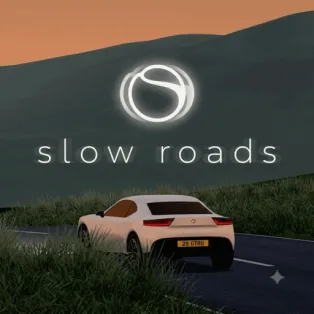


Slow Roads
Slow Roads is a relaxing 3D driving game that lets you enjoy endless journeys through beautiful, procedurally generated landscapes. Instead of racing against opponents or completing timed challenges, you can simply drive along scenic roads, explore rolling hills, and enjoy the changing surroundings. Customize your vehicle, choose different environments, and adjust the weather and road conditions to create a driving experience that matches your mood.
How to Play Slow Roads
Start by choosing your vehicle and selecting a world to explore. You can drive through peaceful countryside scenery or venture into an unusual off-world environment. Adjust the road style to your preference, choosing between straight routes and winding paths. You can also change the season, weather, and lighting conditions to give each journey a different atmosphere.
Once you begin driving, accelerate along the road, steer through curves, and use the brake or handbrake to control your vehicle. Experiment with different driving styles, explore the generated landscape, and enjoy the scenery without worrying about a finish line or time limit. If you prefer a more hands-off experience, enable driving assistance to let the game control the steering, speed, or both. Switch camera views and adjust other settings whenever you want to personalize your journey.
Controls
- W / Up Arrow – Accelerate.
- S / Down Arrow – Brake or reverse.
- A / Left Arrow – Steer left.
- D / Right Arrow – Steer right.
- Left Shift – Activate boost.
- Spacebar – Apply the handbrake.
- B – Toggle the handbrake.
- R – Reset the vehicle.
- C – Change the camera view.
- F – Toggle driving assistance.
- G – Switch driving assistance modes.
- H – Toggle headlights.
- U – Hide or show the interface.
- Mouse – Look around and adjust the camera.