


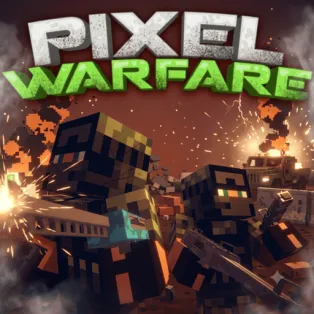


Pixel Warfare
Pixel Warfare is a fast-paced multiplayer first-person shooter that combines blocky, Minecraft-inspired graphics with competitive shooting action. Enter colorful battle arenas, choose from a variety of weapons, and fight against players from around the world. Whether you prefer close-range combat with shotguns or eliminating enemies from a distance with sniper rifles, every match tests your aiming accuracy, movement, and tactical skills. Join public battles or create private rooms to challenge your friends in exciting multiplayer competitions.
How to Play Pixel Warfare
Start by joining an available game room or creating your own match with customized settings. Choose between different game modes, including Deathmatch and Team Deathmatch. In Deathmatch, every player fights individually to achieve the highest number of eliminations. In Team Deathmatch, work alongside your teammates to defeat the opposing team and earn points for your side.
Once the battle begins, explore the map, locate your opponents, and use your weapons to eliminate them before they take you down. The game offers an arsenal of firearms, including pistols, shotguns, machine guns, sniper rifles, and rocket launchers. Switch weapons depending on the distance and situation, reload when your ammunition runs low, and use obstacles for cover during intense firefights. You can also monitor your kills, deaths, and kill-to-death ratio to track your performance. Keep improving your aim, movement, and combat tactics to become a top player.
Controls
- W / A / S / D – Move forward, left, backward, and right.
- Mouse – Look around and aim.
- Left Mouse Button – Shoot or perform the selected action.
- Right Mouse Button – Aim with your weapon.
- Shift + W – Run forward.
- Spacebar – Jump.
- C – Crouch.
- Z – Lie prone.
- R – Reload your weapon.
- 1–8 – Select different weapons.
- Mouse Wheel – Switch weapons.
- Enter – Open the chat.
- Tab – Open the menu and scoreboard.